Linux VRAM leak

lonkalsim

New member
I'm not sure if it's correct to post it, but I'd imagine Valve being interested in Deadlock's native port, so yeah.
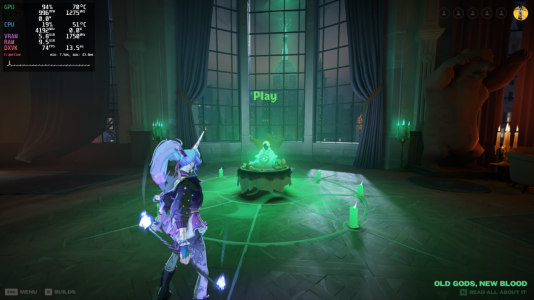
When running through GE-Proton 10-32 Deadlock's VRAM usage is acceptable (3,3GB for the lowest settings is still a lot), but when shaders are done compiling it's 5,8GB.
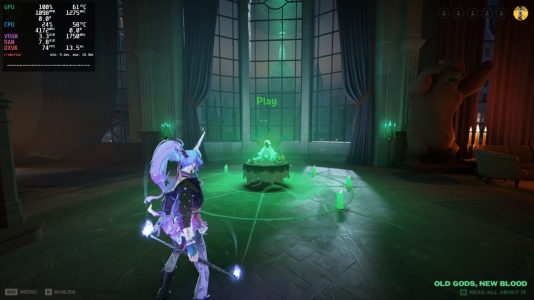
1771597561775.png
1771597570935.png
 
It gets much worse by now, the game is literally unplayable in 20 minutes on Vulkan, on DX11 you can play one match without restarting.
Linux community would appreciate a native build, but since it's difficult to make, especially at this stage of development, it would be nice if you could fix this issue which everyone on Linux is facing right now.
 
Second this, it was bearable until like a week ago on only 4gb vram.
I am pretty certain its a vram issue, because its the worst when moving (culling etc) and while standing still I get almost smooth 60fps.
I dont think a native build will solve this.
 
It gets much worse by now, the game is literally unplayable in 20 minutes on Vulkan, on DX11 you can play one match without restarting.
Linux community would appreciate a native build, but since it's difficult to make, especially at this stage of development, it would be nice if you could fix this issue which everyone on Linux is facing right now.
I have similar vram usage, but game runs normally. Have you tried switching proton versions? Im using proton experimental. More specs here: https://forums.playdeadlock.com/thr...e-linux-vulkan-wayland-amd.110616/post-214862
 
hey i have this issue too. Out of pure accident i discovered that if i turned off my 2nd monitor while playing that the effect of the VRAM leak reduced massively. I can actually play standard no problems if textures are set to medium. If graphics are maxed i'll drop to 20fps still but only after a long time, and in this case analytics shows 7.8/8.0 gb vram. my average fps is also improved with the 2nd monitor off idk what the deal with that is... if you have a 2nd monitor hooked up try playing with it off (turn it off before launching and keep it off in game)
 
Today performance was bad again, this time it isn't VRAM related (i think?)
Most noticeable in the lobby, reducing the resolution worked, but I am not sure if this is a map specific issue.
 
Back
Top