Suggestion about rendering

What OS and GPU are you using? Can you test if this happens on both D3D11 and Vulkan?
This is the same issue my friend has that I was describing in my message above, going from 30 to 5 fps from him.

These are his specs:
Intel(R) Iris(R) Xe Graphics - GPU
12th gen intel(R) Core(TM) i5-1240-CPU (12 cores)
16 GB DDR4 RAm

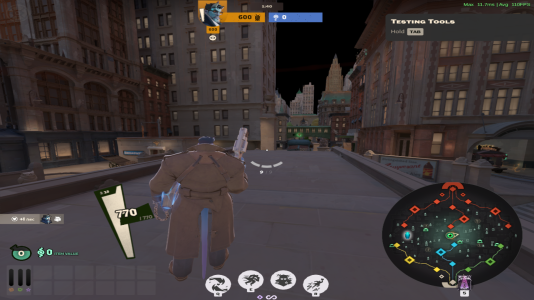
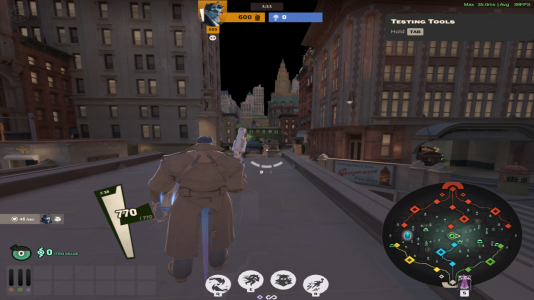
Bad GPU for deadlock I know. But the issue is consistent: FPS drops massively when looking at mid.

Happens on both Vulkan and D11
 
What OS and GPU are you using? Can you test if this happens on both D3D11 and Vulkan?
I’ve been troubleshooting the issue on my system and it does not appear to be machine-related.


System details:


  • Debian 13
  • AMD CPU using amd-pstate-epp
  • Governor set to performance on all cores
  • Boost enabled
  • EPP set to maximum performance
  • Tested both DX11 and Vulkan
  • Same behavior in both APIs

I verified that:


  • All CPU cores are locked to the performance governor.
  • Frequencies are stable around nominal clocks under load.
  • No thermal throttling.
  • No background CPU saturation.
  • The issue persists even after forcing performance mode system-wide.

The game consistently logs:
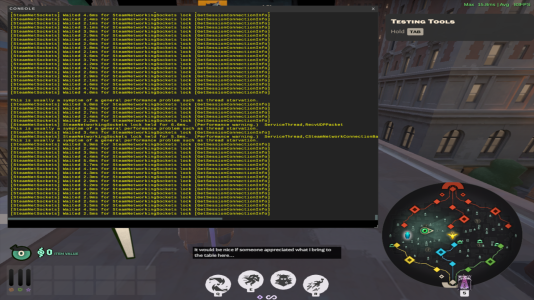
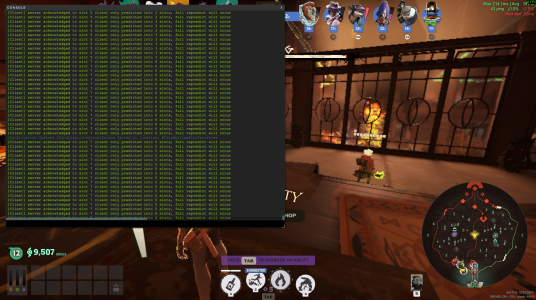
Waited X ms for SteamNetworkingSockets lock

Additionally, this does not appear to be GPU-related.
Lowering all graphics settings to minimum and reducing resolution does not change the behavior performance and the lock warnings remain the same. GPU load decreases as expected, but the FPS behavior and SteamNetworking warnings are identical.


Since the behavior is identical across graphics APIs and with the CPU fully configured for performance, the problem appears to be engine-side rather than system-side.
1771435828844.png
 
What GPU are you running on? Also, if you're running on Linux, are you using Proton or another solution?

For those running natively on Windows, are you also seeing the SteamNetworkingSockets messages in the F7 console and if so, are you on Windows 10 or Windows 11?

I know these details might sound irrelevant, but this information really is crucial; there isn't one smoking gun culprit like a GoSlowerWhenLookingAtMid() function we forgot to turn off, there's a lot of individual factors that affect client performance and this information helps a lot.
 
Proton 10.0-4 (also tested Proton GE, but that version introduces text rendering issues)
AMD Ryzen 5 5600X
AMD Radeon RX 5500 XT (8GB VRAM)
 
For those running natively on Windows, are you also seeing the SteamNetworkingSockets messages in the F7 console and if so, are you on Windows 10 or Windows 11?

Friend is on Windows 11, this is his console when the fps drops:


1771440975944.png


If this is irrelevant we can run another test and look for something more specific.
 
That log messages isn't directly relevant, however, I see a 214ms frame time and 5FPS which seems extremely excessive. A PerfView capture would be great if you can grab one.

I have one more test for people, which is `r_citadel_gpu_culling_two_pass 0` in the F7 console. Does this help framerate at all?
 
That log messages isn't directly relevant, however, I see a 214ms frame time and 5FPS which seems extremely excessive. A PerfView capture would be great if you can grab one.

I have one more test for people, which is `r_citadel_gpu_culling_two_pass 0` in the F7 console. Does this help framerate at all?
In my case performance in dx11 improved a bit (explore ny) in vulkan the game runs so much worse,having 60 to 751771462744676.png
 
You can use the Steam FPS Overlay or the built-in overlay to get more concrete numbers instead of a hunch. (Note that the built-in overlay has a bug where it freezes FPS after a match is done; I've fixed this internally but it isn't in the public build yet. To workaround, either relaunch the game or use the Steam FPS Overlay instead)

Two more tests to try:

1. Try adjusting the game's resolution to be lower; does that help improve performance?
2. You can disable particle effects by typing `r_drawparticles 0` in the F7 console. Does that help your performance issues? You can also try `cl_particle_simulate 0` to freeze particles.

You also never responded to me with whether the performance issues happened in bot matches and Explore NYC as well.

For the purposes of keeping this thread organized, please try and run all of the tests you can, and reply back with a single post with results once you've done so. If you aren't able to run certain tests, then please let me know why.
Thank you, my apologies for the delay in response and not doing what was expected.

Explore NYC: No change in-game FPS.
Bot Street Brawl: Lag spikes on item selection. Not really as much lag (I'll say probably why)
Player Street Brawl: Lag spikes on item roll and during chaotic moments/flashy VFX. Got worst the more consecutive games played (I think it is a RAM related thing)
Normal Player Game: Lag spikes are less often, but spike during high impact moments. Especially when being chased or during Sieging, especially at base.

Spikes would average around 20 and get a bit choppy during item selection. Some cases it high impact facts it would go as low as 5fps, ranging from 5-30 fps during laggy moments.

I think it is a graphical RAM thing. Also, that hunch I had was incorrect - the HUD does not affect it. Playing around in hideout with a friend of mine.

I turned off particle simulation via cl_particle_simulate 0, and the lag is gone. Same goes with r_drawparticles 0 command. I can't run at least one of the drawing particle simulations, likely the r as well becasue of sv_cheats lockout (as intended).

I suspect it is a ram issue, relating to particles. My settings are set to max. I notice game lag were less versus 2 days ago (upon me making reports on a seperate thread and this thread. So I think I was being hit with double issues.

Hopefully this suffices.
 
Thank you, that really does narrow things down. If `cl_particle_simulation 0` stops the hitching, then it's not related to rendering at all, and shouldn't be related to graphics VRAM. This is where a PerfView trace would really come in handy so we can dig into why particles appear to be so expensive for you.
 
Thank you, that really does narrow things down. If `cl_particle_simulation 0` stops the hitching, then it's not related to rendering at all, and shouldn't be related to graphics VRAM. This is where a PerfView trace would really come in handy so we can dig into why particles appear to be so expensive for you.
I put my scaling mode to 2x and lag spikes are less frequent and less intense. I have to play more games to figure. Figured to say that.

Also, what should be done with Perfview installation?

Anything in particular or to install and conduct more tests? Leaving this post up so that others can also do their own Perfview testing as well.
 
Back
Top