ladnoyanehotel
New member
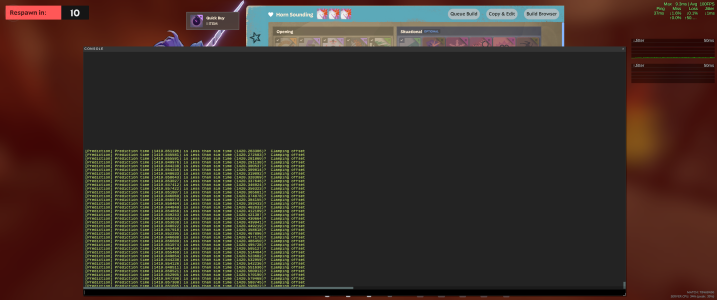
Every first launch of the game after turning on the computer results in a freeze after 5–6 minutes of gameplay. The issue occurs at random moments. The sound continues playing, but the screen freezes completely. During the freeze, the Steam overlay cannot be opened. The game remains unresponsive for up to 1 minute and then closes itself.
The issue occurs only on the first launch after system boot. Subsequent launches work normally without any problems.
Repro Rate:
Always (on first launch after PC boot)
Steps to Reproduce:
1. Turn on the PC
2. Launch the game via Steam
3. Start a match
4. Play for 5–6 minutes
5. Observe freeze → game closes
Expected Result:
The game runs normally without freezing or crashing.
Actual Result:
The game freezes (image stuck, sound continues), then closes after ~1 minute.
System Information:
- OS: Windows 10/11
- CPU: Intel i5-12500H
- GPU: NVIDIA RTX 3060 Laptop
- RAM: 16 GB
- Graphics API: DX11
- GPU Driver: 32.0.15.9597
- Windows Game DVR: Enabled
- Windows Game Mode: Active
Additional Information:
- Windows Event Viewer logs Event ID 1002 (Application Hang) for deadlock.exe
- No Event ID 1000 (Application Error) is recorded
Crash dump analysis shows:
- Exception: 0xc0000005 (Access Violation)
- Type: INVALID_POINTER_READ (null pointer dereference)
- Faulting module: client.dll
The crash is caused by an attempt to read from a null address (0x0000000000000000).
This behavior suggests a possible initialization issue or race condition in the client code, potentially triggered during early runtime.
Attachments:
- Video demonstrating the issue
- Crash dump file (.mdmp) [Google Drive link]
- Crash analysis output (.txt)
The issue occurs only on the first launch after system boot. Subsequent launches work normally without any problems.
Repro Rate:
Always (on first launch after PC boot)
Steps to Reproduce:
1. Turn on the PC
2. Launch the game via Steam
3. Start a match
4. Play for 5–6 minutes
5. Observe freeze → game closes
Expected Result:
The game runs normally without freezing or crashing.
Actual Result:
The game freezes (image stuck, sound continues), then closes after ~1 minute.
System Information:
- OS: Windows 10/11
- CPU: Intel i5-12500H
- GPU: NVIDIA RTX 3060 Laptop
- RAM: 16 GB
- Graphics API: DX11
- GPU Driver: 32.0.15.9597
- Windows Game DVR: Enabled
- Windows Game Mode: Active
Additional Information:
- Windows Event Viewer logs Event ID 1002 (Application Hang) for deadlock.exe
- No Event ID 1000 (Application Error) is recorded
Crash dump analysis shows:
- Exception: 0xc0000005 (Access Violation)
- Type: INVALID_POINTER_READ (null pointer dereference)
- Faulting module: client.dll
The crash is caused by an attempt to read from a null address (0x0000000000000000).
This behavior suggests a possible initialization issue or race condition in the client code, potentially triggered during early runtime.
Attachments:
- Video demonstrating the issue
- Crash dump file (.mdmp) [Google Drive link]
- Crash analysis output (.txt)