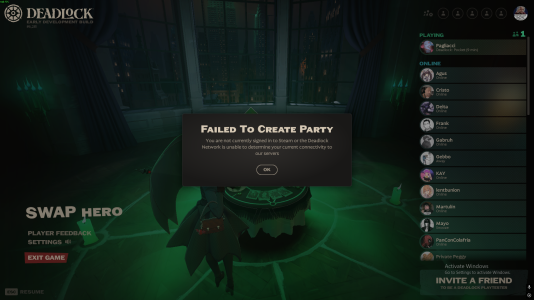
I wanted to share the full troubleshooting sequence I went through for the "Failed To Create Party" "You are not currently signed in" issue in case this helps anyone else, because this initially looked like a Steam login or server-side issue but appears to actually be network policy related.
For reference, I am playing on a Windows 11 desktop using a TP-Link Archer TX55E (AX3000) WiFi 6 PCIe adapter on a university residence hall eduroam network.
Symptoms
Deadlock launches normally and I am logged into Steam without issue. I can reach the main menu and see friends online, but:
- I cannot create a party
- I cannot accept invites
- I cannot send invites
- I cannot queue solo
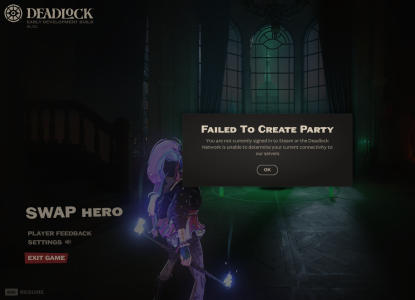
All attempts return:
General internet connectivity is otherwise normal (Discord, browser, streaming, Steam Store, etc.).
Troubleshooting Performed
I attempted the following:
- Verified integrity of game files
- Restarted Steam
- Restarted PC
- Restarted firewall
- Confirmed Steam session was online
- Used citadel_region_override
- Updated WiFi drivers
- Forced Steam relay-only connection via launch options
- Reset Winsock and network stack
- Disabled secondary wireless adapter
- Tested alternate relay cluster
- Spoofed MAC address to force a new network assignment (then reverted)
None of the above changed the behavior.
Hotspot Test
As a control, I connected the same PC to a mobile hotspot.
Deadlock matchmaking and party creation worked immediately with no changes to:
- hardware
- drivers
- Steam
- or game configuration
This strongly suggested a network-level issue rather than an account or install problem.
UDP / STUN Connectivity Test
I then tested outbound STUN connectivity (used by Steam Datagram Relay for NAT discovery) from PowerShell:
Code:
$udpClient = New-Object System.Net.Sockets.UdpClient; $udpClient.Connect("stun.l.google.com",3478); $bytes = [System.Text.Encoding]::ASCII.GetBytes("test"); $udpClient.Send($bytes,$bytes.Length); $udpClient.Client.ReceiveTimeout = 3000; try { $remote = New-Object System.Net.IPEndPoint([System.Net.IPAddress]::Any,0); $udpClient.Receive([ref]$remote) | Out-Null; "UDP WORKING" } catch { "UDP BLOCKED" }; $udpClient.Close()
Results:
- On eduroam:
- On mobile hotspot:
Conclusion
Deadlock appears to require successful ICE/STUN NAT discovery via SteamNetworkingSockets before allowing:
- party creation
- invite acceptance
- or even solo matchmaking
If outbound UDP to port 3478 (STUN) is blocked by the network (as is common on enterprise WiFi such as residence halls), Steam cannot determine NAT type and Deadlock refuses to initiate matchmaking entirely.
This differs from games like CS2 or Dota, which will still fall back to relay even when NAT type is undetermined.
In this case, the issue was caused by my university eduroam residence hall network blocking outbound STUN traffic. The same configuration worked immediately when using a mobile hotspot.
Workaround
Connecting via hotspot allowed me to:
- create or join party
- enter matchmaking
after which however, I had to stay on the mobile hotspot. If I attempted to connect to eduroam after entering a match, the game will disconnect and kick me to the hideout and not let me rejoin. This suggests that Deadlock requires continuous UDP relay/STUN availability for session maintenance, not just initial NAT discovery during matchmaking. On networks where outbound UDP (e.g. STUN on port 3478) is filtered, switching away from a permissice connection causes relay keepalive failure and prevents reconnect.
This may be worth investigating as Deadlock currently has no apparent TCP fallback for NAT discovery in environments where STUN is filtered.
Sorry for the wall of text, but I hope this helps someone else running into the same issue!