

monstobusta
Member
Following this guide to Event Tracing for Windows by a Valve employee, I have gathered enough data to confidently back up the claim that Discord, no matter what your settings are, may cause stutters, at least on a 4 core machine. I can back this up due to having made five event traces where only three major programs were running: Deadlock (plus Steam), Discord, and PerfView (the profiler that was tracing my system).
In all five of these traces, the CPU usage of Discord rapidly goes up for a brief period of time around 100 milliseconds, coinciding with Deadlock’s CPU usage going down for around 100 ms, the game not showing any updates for around 100 milliseconds in the event trace, and the game freezing for me for around 100 milliseconds in my experience of playing (which is backed by the game’s ingame frametime counter reporting a spike up to around 100 milliseconds).
To replicate my conditions, run Discord and Deadlock on a 4 core cpu (my CPU is the Intel Core i7-7700).
I tested and found a stutter to occur under four different variables.
0: The control group (Hardware acceleration and overlay on, in a call, and using Vulkan)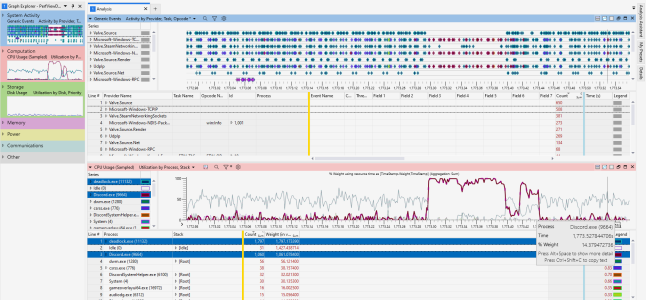
1: Hardware acceleration off
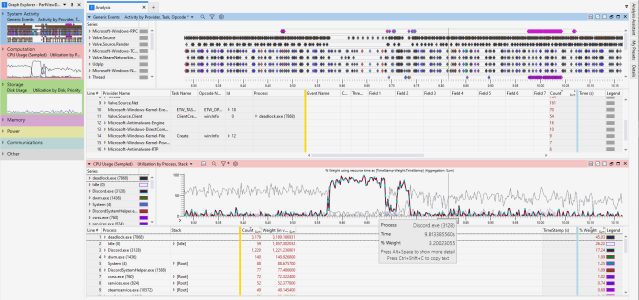
1: Hardware acceleration and overlay off
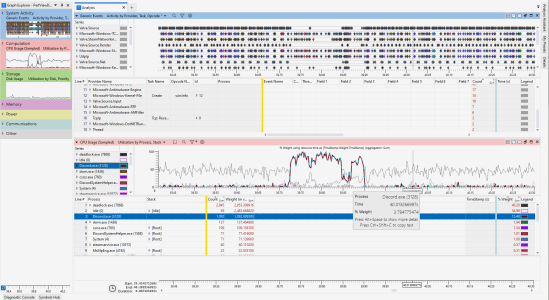
3: Hardware acceleration and overlay off, not in a call
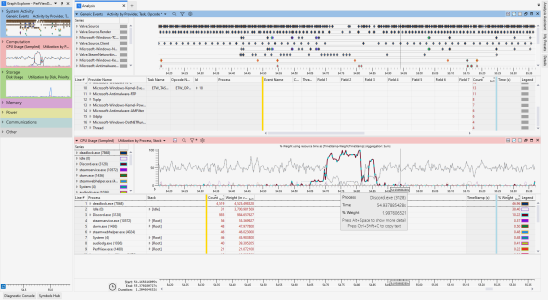
4: Hardware acceleration and overlay off, not in a call, and using DX11 instead of Vulkan
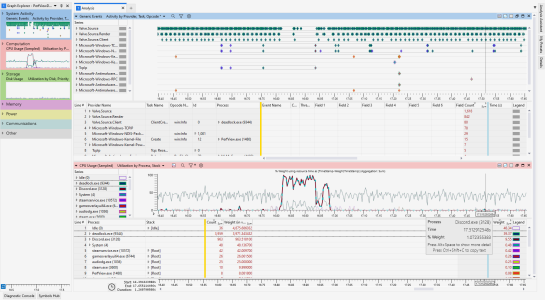
As the images show, no matter what the settings are, Discord is causing Deadlock to stutter. Regardless, I will submit these ETW traces to Valve and find a way to get Discord's attention about this. At the moment, the only solution seems to be to not run Discord at all.
In all five of these traces, the CPU usage of Discord rapidly goes up for a brief period of time around 100 milliseconds, coinciding with Deadlock’s CPU usage going down for around 100 ms, the game not showing any updates for around 100 milliseconds in the event trace, and the game freezing for me for around 100 milliseconds in my experience of playing (which is backed by the game’s ingame frametime counter reporting a spike up to around 100 milliseconds).
To replicate my conditions, run Discord and Deadlock on a 4 core cpu (my CPU is the Intel Core i7-7700).
I tested and found a stutter to occur under four different variables.
0: The control group (Hardware acceleration and overlay on, in a call, and using Vulkan)
1: Hardware acceleration off
1: Hardware acceleration and overlay off
3: Hardware acceleration and overlay off, not in a call
4: Hardware acceleration and overlay off, not in a call, and using DX11 instead of Vulkan
As the images show, no matter what the settings are, Discord is causing Deadlock to stutter. Regardless, I will submit these ETW traces to Valve and find a way to get Discord's attention about this. At the moment, the only solution seems to be to not run Discord at all.


