Performance issues

SonoShinda

New member
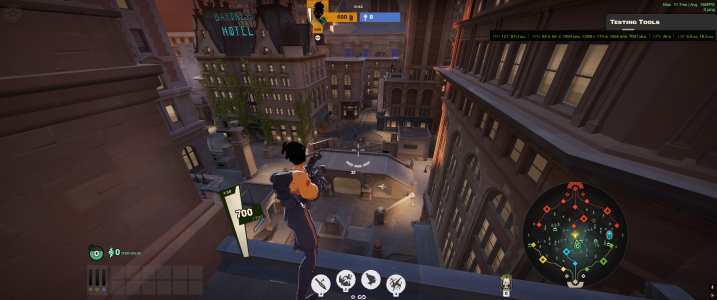
Middle of the map:
Being in or looking towards the blue lane instantly visibly reduces your framerate.

UI Issues
Certain UI elements being on screen causes obvious FPS drops. Characters saying voice lines, Opening the tab menu, Kills appearing on the killfeed. These all cause the game to begin to lag
 
This. I want to enjoy this patch, but my overall performance took a massive hit. I can no longer hold anything above 90 FPS; constant dips to less than 50 FPS when I previously held over 144FPS. Team fights look like a buffering video, and opening the leaderboard causes my game to freeze for a second.
 
Definitely first noticed it in blue lane as well. I hadn't changed my settings since the patch and the game was running noticeably worse - I used to average 120 and it was dipping to 90 or thereabouts. Using a 265k/9070 on Linux.
 
Ok so I think they started using DLSS 4.5 which despite looking nicer, takes a heavy hit on performance for older RTX cards. If yall wanna give it a try, this has improved my frame rate and makes gameplay feel smoother.

open the NVIDIA App, on the sidebar, Graphics > Deadlock, under Driver Settings > DLSS Override - Model Presets > Custom > Super Resolution > Preset F.

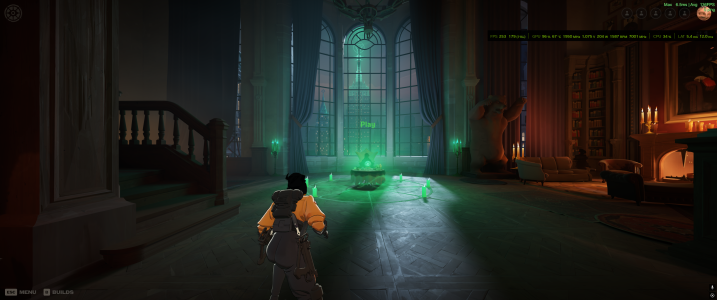
This is without any changes:
Use_3D_Hideout.pngUse_3D_Explore.png

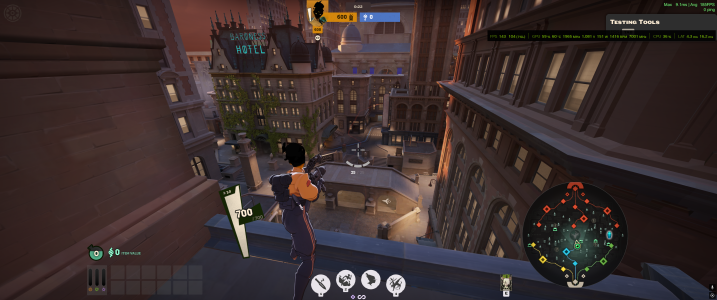
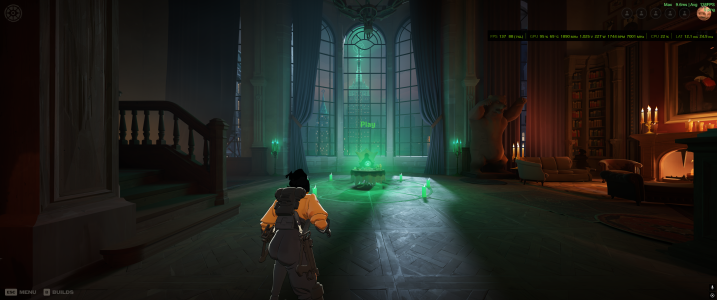
And this is with Preset F selected:
Preset_F_Hideout.pngPreset_F_Explore.png


Hopefully this helps some of you.
 
Ok so I think they started using DLSS 4.5 which despite looking nicer, takes a heavy hit on performance for older RTX cards. If yall wanna give it a try, this has improved my frame rate and makes gameplay feel smoother.

open the NVIDIA App, on the sidebar, Graphics > Deadlock, under Driver Settings > DLSS Override - Model Presets > Custom > Super Resolution > Preset F.

This is without any changes:
View attachment 76542View attachment 76541

And this is with Preset F selected:
View attachment 76543View attachment 76544


Hopefully this helps some of you.
Thanks for the hint, I'm playing on Transformer/Quality and I think preset K should be the right one for me. Preset K is the "old" DLSS 4.0 Transformer preset. Preset F should be the default preset for Ultra Performance and DLAA modes.

I already tested the new DLSS 4.5 in the previous update when it was still in beta. Due to poor performance and noticeably worse FPS, I switched back to the DLSS 4 model again. So it makes sense that there might be issues now if they updated it in the latest patch.

If you also check the NVNGX_DLSS.DLL, you can see that it’s currently version 310.5.0.0, which is the latest DLSS 4.5 release.
 
Last edited:
Middle of the map:
Being in or looking towards the blue lane instantly visibly reduces your framerate.

UI Issues
Certain UI elements being on screen causes obvious FPS drops. Characters saying voice lines, Opening the tab menu, Kills appearing on the killfeed. These all cause the game to begin to lag
Seconding this bug report with similar issues. Anything besides being on a side lane and looking towards the outside of the map brings me down to 5-10 fps. I am on a laptop with no nvidia.
I didn't notice additional lag due to UI issues.

Match ID: 51601443 I assume the replay won't show the lag, but you can at least see the areas I was staying in and where I was looking.
 
Thanks for the hint, I'm playing on Transformer/Quality and I think preset K should be the right one for me. Preset K is the "old" DLSS 4.0 Transformer preset. Preset F should be the default preset for Ultra Performance and DLAA modes.

I already tested the new DLSS 4.5 in the previous update when it was still in beta. Due to poor performance and noticeably worse FPS, I switched back to the DLSS 4 model again. So it makes sense that there might be issues now if they updated it in the latest patch.

If you also check the NVNGX_DLSS.DLL, you can see that it’s currently version 310.5.0.0, which is the latest DLSS 4.5 release.
Thank you, you're right. K is good. I originally tested both J/K, but forgot I had DLAA on instead of DLSS so I was getting less FPS. I changed it to DLSS, then closed the game and swapped to Preset F so it looked like it was performing better. Also nice, I didn't even think to check the dll.
 
Back
Top