Deadlock.exe hangs after removal of 3.5mm plug from motherboard back panel audio jack - Reproducible
Steps To Reproduce:
1) Ensure microphone is plugged into 3.5mm mic jack at the back of motherboard, then launch Deadlock.
2) Whilst in lobby (hideout, no games pending) enter the Settings menu -> Audio -> Voice (settings as listed below) -> Confirm that the reactive mic input bar is picking up noise.
3) Disconnect 3.5mm plug from microphone jack.
Outcome: Deadlock hangs indefinitely and displays "Deadlock (Not Responding)" as the window name in the applications' top bar. Requires force shutdown and relaunch to resolve.
Steam client:
- Steam Beta Branch: Stable Client
- Steam Version: 1769025840
- Steam Client Build Date: Thu, Jan 22 6:13 AM UTC -08:00
- Steam API Version: SteamClient023
Deadlock Game versions:
- App ID: 1422450
- Build ID: 22256521
Deadlock Voice Settings (Default)
-> Settings -> Audio -> Voice
- Input Device: Default Device
- Voice level: Bar indicates audio input is being picked up
- Mic triggered threshold (0%)
- Listen to my mic, Streamlined mic, Open mic (team and party): All off
Windows version:
- Windows 10 Pro version 22H2 (OS Build 19045.6937)
PC Specs:
- Motherboard Steel Legend B450m
- AMD Ryzen 5 3600
- NVIDIA RTX 3090 (Driver 821.08 DHC)
- 80GB RAM
Microphone:
- Generic boom mic connected directly to motherboard mic input via 3.5mm jack across stereo audio cable
- High Definition Audio Device Controller Driver: Microsoft ver 10.0.1904.6926
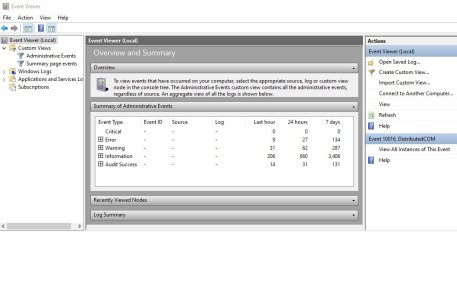
I cannot find relevant crash logs sorry.
I hope that's useful for bug hunting. Thank you for this amazing game
Steps To Reproduce:
1) Ensure microphone is plugged into 3.5mm mic jack at the back of motherboard, then launch Deadlock.
2) Whilst in lobby (hideout, no games pending) enter the Settings menu -> Audio -> Voice (settings as listed below) -> Confirm that the reactive mic input bar is picking up noise.
3) Disconnect 3.5mm plug from microphone jack.
Outcome: Deadlock hangs indefinitely and displays "Deadlock (Not Responding)" as the window name in the applications' top bar. Requires force shutdown and relaunch to resolve.
Steam client:
- Steam Beta Branch: Stable Client
- Steam Version: 1769025840
- Steam Client Build Date: Thu, Jan 22 6:13 AM UTC -08:00
- Steam API Version: SteamClient023
Deadlock Game versions:
- App ID: 1422450
- Build ID: 22256521
Deadlock Voice Settings (Default)
-> Settings -> Audio -> Voice
- Input Device: Default Device
- Voice level: Bar indicates audio input is being picked up
- Mic triggered threshold (0%)
- Listen to my mic, Streamlined mic, Open mic (team and party): All off
Windows version:
- Windows 10 Pro version 22H2 (OS Build 19045.6937)
PC Specs:
- Motherboard Steel Legend B450m
- AMD Ryzen 5 3600
- NVIDIA RTX 3090 (Driver 821.08 DHC)
- 80GB RAM
Microphone:
- Generic boom mic connected directly to motherboard mic input via 3.5mm jack across stereo audio cable
- High Definition Audio Device Controller Driver: Microsoft ver 10.0.1904.6926
I cannot find relevant crash logs sorry.
I hope that's useful for bug hunting. Thank you for this amazing game