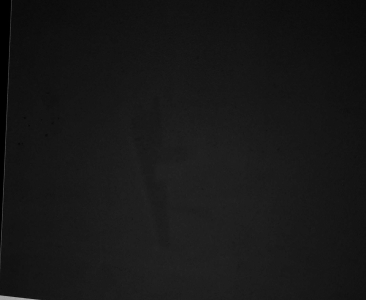
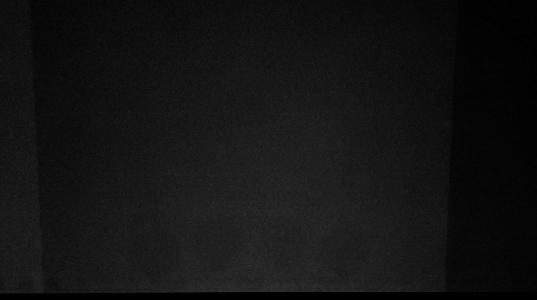
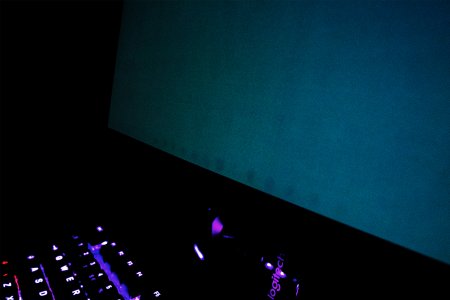
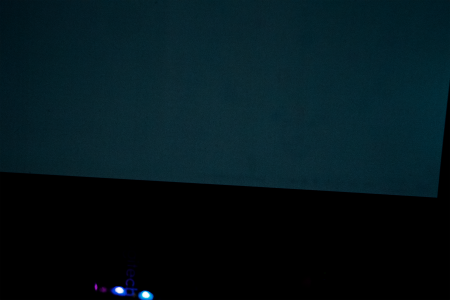
Yoshi, you owe me a new OLED display

you should pixel clean a lot more than once a day lol, mine pops up every ~4h and i dont have a single problem with burn in, also most modern oleds got warranty on burn in so just get a new one
 
you should pixel clean a lot more than once a day lol, mine pops up every ~4h and i dont have a single problem with burn in, also most modern oleds got warranty on burn in so just get a new one
In my country of residence, ASUS has terrible RMA support, where I have to deliver the monitor to an authorized third-party service center, and they would attempt to repair it. Since OLEDs cannot be fixed and all of the service centers have bad reviews, I do not trust them enough to bring my $1200-monitor to them.
 
In my country of residence, ASUS has terrible RMA support, where I have to deliver the monitor to an authorized third-party service center, and they would attempt to repair it. Since OLEDs cannot be fixed and all of the service centers have bad reviews, I do not trust them enough to bring my $1200-monitor to them.
i would try it anyway and contact asus directly cause oled RMA cause of burn in is usually just a new unit, at least thats how it worked for me in the past
 
That's not normal burn-in. You'd have to play maximum brightness 24 hours a day for 3 months for it to get that bad, jeez.
Yeah. I kinda added a bit of contrast to the image to make it noticeable. But that's what my eyes see when I have a flat grey background. Never utilized the monitor at more than 80% brightness, though.
 
it’s an issue with oled, not deadlock. Internet is full of complaints about oled burn-in, it’s literally a meme at this point.
 
damn, how many hours do you need to have for burn in to appear on your screen (but it's probably your OLED monitor that has a problem).
 
Yes, the monitor has a pixel cleaning cycle that I do almost every day. But they don't help much
I would recommend lowering the display's brightness. I don't have an OLED panel myself, but from what I know, excessive brightness is what hurts their longevity the most.

Gaming monitors, by default, are usually way brighter than what any professional grade color calibrator would suggest anyhow. It might feel jarring at first, but you'll quickly get used to it.
 
it’s an issue with oled, not deadlock. Internet is full of complaints about oled burn-in, it’s literally a meme at this point.
Yeah, it's been a meme for a while. I knew the risks before buying it. However, after researching and reading all the "OLEDs do not burn in anymore, there are various OLED care and burn-in prevention methods" type of arguments all over the internet, and watching a video of a person quite literally forcing his monitor to burn in by displaying the same static image on the screen for thousands of hours, I thought I wouldn't use the monitor in any way similar to that considering I usually swap between applications now and then, Alt+Tab quite frequently and was not utilizing the monitor at its peak brightness. And it's a 4th-gen QD-OLED, the most recent and reliable. Turns out it's just a marketing gimmick.

damn, how many hours do you need to have for burn in to appear on your screen (but it's probably your OLED monitor that has a problem).
I saw the first signs of burn-in(taskbar) a couple of months ago. At that point, the monitor was 8 months old. I didn't mind it back then since it's just the taskbar and I never ever look there 90% of the time. Noticed it when I was logging into Diablo IV where you see a flat grey screen for a couple of seconds:
Burnin5.jpgLayer 3.png

I would recommend lowering the display's brightness. I don't have an OLED panel myself, but from what I know, excessive brightness is what hurts their longevity the most.

Gaming monitors, by default, are usually way brighter than what any professional grade color calibrator would suggest anyhow. It might feel jarring at first, but you'll quickly get used to it.
I utilize dark mode on almost all applications and use the monitor at 80% of its brightness. Since the peak brightness varies between 250 and 400 nits based on coverage, I don't think I am even using the whole 300 nits in any case. I usually turn off all the lights in my studio when I work on 3D modeling projects to eliminate glare and the purple tint on the panel eitherway so I don't need much brightness. But it's much less bright than my previous IPS, which had HDR600 certification. For reference, I would actually have to squint my eyes if there's a very bright scene in a movie or something at 100% brightness. Or sometimes my eyes would hurt as if I just woke up on a sunny day lol

But now it has come to a point where it can affect my professional work.
 
  • Like
Reactions: jtk
Back
Top