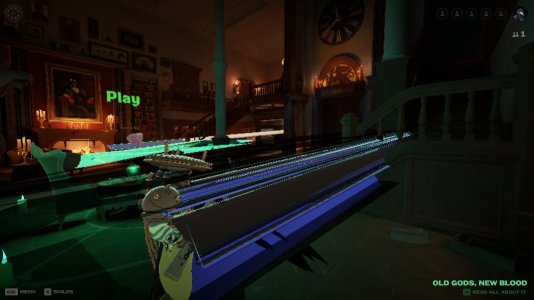
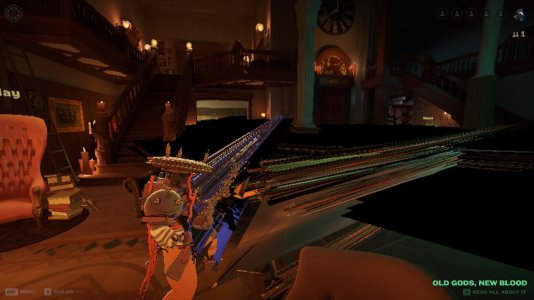
While I was in an offline match, the bug happened and I closed the game. When I opened it again the bug was still happening. I don't really know how to describe it so I took a few screenshots of it happening.
---
Inquiring for the sake of troubleshooting (if I also happen to experience this):
- What is this "offline"-match specifically (custom, private, bot-match)?
- What hardware you're using, primarily graphical processing unit and the drivers (on Linux, WIndows, other Operative Sestem)?
- Have you verified if some of your files got corrupted. I.E. did you already try the "Verify integrity of game files"-Steam function?
---
---
Inquiring for the sake of troubleshooting (if I also happen to experience this):
- What is this "offline"-match specifically (custom, private, bot-match)?
- What hardware you're using, primarily graphical processing unit and the drivers (on Linux, WIndows, other Operative Sestem)?
- Have you verified if some of your files got corrupted. I.E. did you already try the "Verify integrity of game files"-Steam function?
---
- I was in a bot match
- I am using a laptop with an Intel i7-7600 CPU, 16gb of RAM, and an Intel HD 620
- I verified the integrity of the game files on steam and it said "1 file failed to reacquire and will be reinstalled" but the bug still persisted
I also encountered this bug yesterday. It started in the lobby about five minutes after I booted up Deadlock for the first time. It's continued ever since, even after uninstalling the game and reinstalling it. I recorded some videos of it from my phone.
I also encountered this bug yesterday. It started in the lobby about five minutes after I booted up Deadlock for the first time. It's continued ever since, even after uninstalling the game and reinstalling it. I recorded some videos of it from my phone.