stomarifesta
New member
Hi,
Recently I've been trying to play deadlock without the voice and text chat from enemies and allies and it seems that disabling them at the settings doesn't work. I'm sharing a screenshot of my current settings. Also I tried to lower the volume from incoming voice chat audio but it also doesn't seem to work.
Thanks for the game and the help
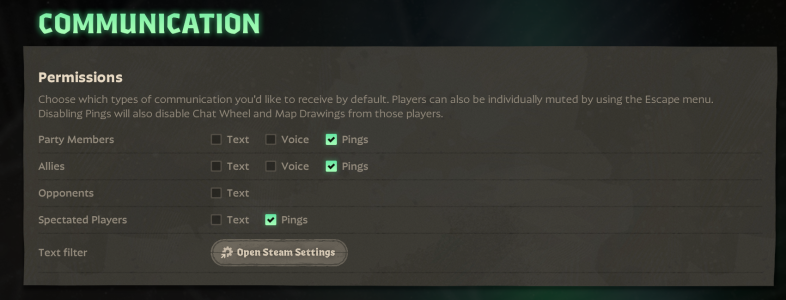
Recently I've been trying to play deadlock without the voice and text chat from enemies and allies and it seems that disabling them at the settings doesn't work. I'm sharing a screenshot of my current settings. Also I tried to lower the volume from incoming voice chat audio but it also doesn't seem to work.
Thanks for the game and the help