PaveMentman
Member
---
Since the release of "Graves"
( or at least after the update "1-30-2026"
https://forums.playdeadlock.com/threads/01-30-2026-update.102822/ ),
the mouse sensitivity settings are ignored while the "Chat Wheel" is open.
Outside matches the slowdown of the selection-pointer is noticeable.
But within the matches the pointer movement is slowed down even further.
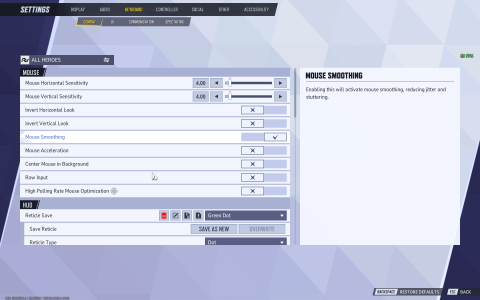
This most likely is due to "Mouse Smoothing"-option is now gone from Deadlock.exe
( or at least I recall Deadlock did have this option previously ).
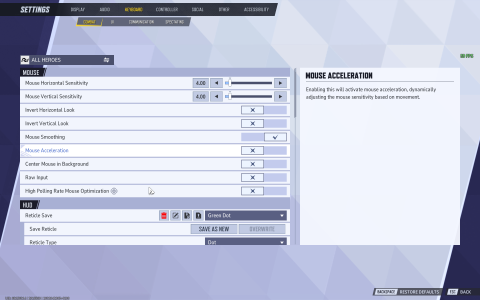
Disabling "Enhance Pointer Precision (Windows 11) / Mouse Acceleration" is a workaround.
Alternative theory:
Looking closer that the movement of the Chat Wheel pointer, I feel there might some sort of the rendering limitation or something akin. As in rest of the game keeps staying in smooth 60FPS while the Chat Wheel pointer feels extremely irresponsive and thus not moving almost at all.
Regardless, the "Chat Wheel"-menu shouldn't be ignoring the mouse-sensitivity settings to begin with
( like it used up to the recent updates ).
---
Since the release of "Graves"
( or at least after the update "1-30-2026"
https://forums.playdeadlock.com/threads/01-30-2026-update.102822/ ),
the mouse sensitivity settings are ignored while the "Chat Wheel" is open.
Outside matches the slowdown of the selection-pointer is noticeable.
But within the matches the pointer movement is slowed down even further.
This most likely is due to "Mouse Smoothing"-option is now gone from Deadlock.exe
( or at least I recall Deadlock did have this option previously ).
Disabling "Enhance Pointer Precision (Windows 11) / Mouse Acceleration" is a workaround.
Alternative theory:
Looking closer that the movement of the Chat Wheel pointer, I feel there might some sort of the rendering limitation or something akin. As in rest of the game keeps staying in smooth 60FPS while the Chat Wheel pointer feels extremely irresponsive and thus not moving almost at all.
Regardless, the "Chat Wheel"-menu shouldn't be ignoring the mouse-sensitivity settings to begin with
( like it used up to the recent updates ).
---