Follow along with the video below to see how to install our site as a web app on your home screen.
Note: This feature may not be available in some browsers.
these early builds are windows exclusive, hence the proton.Why do you even use proton? Its native.
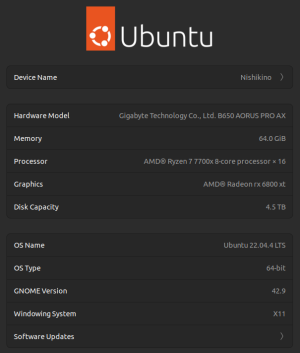
tried the dx11 launch command, game did not like that and crashed before even reaching the main menu. Moving up to the latest ProtonGE did give me a few more seconds in sandbox mode before it crashed, however. i think we're getting somewhere.Based on the system information, you should run the game just as fine. You may be running the game with vulkan rendering? It is a reported issue that Vulkan breaks the game on Unix machines. Try using -dx11 on the Steam Launch Options to launch the game using DirectX instead of Vulkan. Also, use the latest version of ProtonGE for the best performance, as the other version seems to not work as efficiently as the latest one from the repository.
Game runs without emulation layer perfectly fine, dunno everybody using proton forthese early builds are windows exclusive, hence the proton.
tried the dx11 launch command, game did not like that and crashed before even reaching the main menu. Moving up to the latest ProtonGE did give me a few more seconds in sandbox mode before it crashed, however. i think we're getting somewhere.