AMD Driver timeout

oae3187

New member
As per title i report frequent crashes after the Old Gods, New Blood update regarding AMD GPUs.
It is irrespective of session time, it can crash after 30 minutes of the game being open or i can leave the session open for multiple hours without seeing any crashes.
the GPU I'm using currently is a AMD Radeon RX 9070 XT
All of my "Gaming Experience" features (framegen, upscaling and so on) are OFF.
It is the only game I have these issues on.
There are no logs game wise.

Please fix
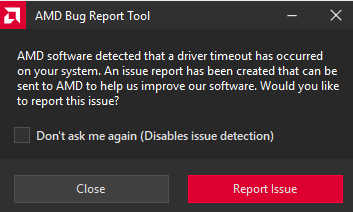
1770659480142.png
 
Hey man, I'm having the same issue over here. I tried updating drivers and even formatting my PC, but ended up with the same issues

Also using the RX 9070 XT with latest drivers, and same symptoms as you described, random crashes with no real error message. It sometimes even crashes my steam app, I have to restart it
 
Bump. I'm on a RX 6600 and have the exact same problem, in deadlock and nowhere else. happens once every couple days (~5 to 10ish hours)

Chipset is up to date, drivers is up to date, you name it
 
is there any update on this? since the last few updates it happens atleast once per session, sometimes multiple times PER GAME
 
is there any update on this? since the last few updates it happens atleast once per session, sometimes multiple times PER GAME
i am led to believe having 2 screens with different resolutions/sizes might be the problem here. ever since i plugged my second screen to my mobo directly (only runs discord anyways), i have not had a single problem
 
i am led to believe having 2 screens with different resolutions/sizes might be the problem here. ever since i plugged my second screen to my mobo directly (only runs discord anyways), i have not had a single problem
i have only one monitor
 
I also have a single monitor running a RX 6900XT. I'm on the AMD 25.9.1 version and it's been pretty smooth. I haven't updated because Monster Hunter Wilds reported some issues with driver versions 25.10.2 and higher on certain graphics cards. Maybe downgrading might help.
 
Back
Top